Table of contents
- Which tool wins?
- The comparison matrix
- Why the brand kit decides it
- The real math: brand-kit floor price
- Which tools export motion?
- What the licence lets you sell
- The two we could not verify
- VistaCreate
- Predis.ai
- Kittl
- Design.com
- Visme and Snappa
- Later and Buffer
- Where each tool fails
- Who should not use these
- Which should you pick?
- FAQ
- Bottom line
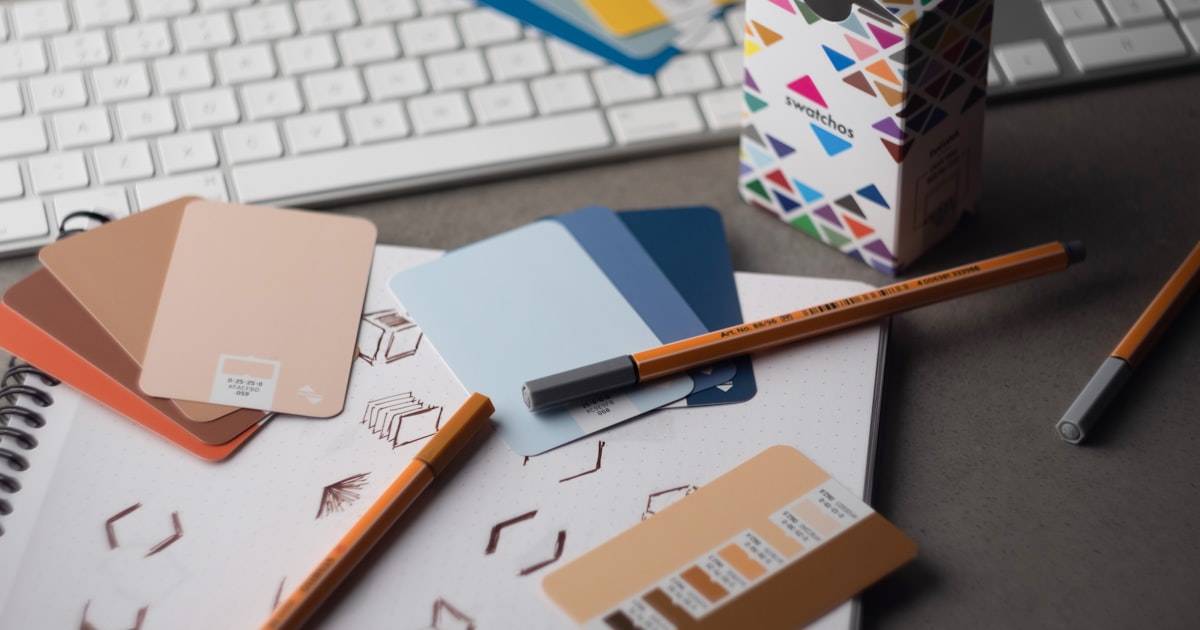
Which AI social media graphics tool wins in 2026?
An AI social media graphics tool is software that generates and resizes branded visual assets across the format presets each social platform requires, and the one that wins is the one that carries your brand kit into every one of those presets. That reframes the category. Template count is the number every vendor leads with and it is close to meaningless, because you use maybe six layouts and you use them constantly.
What you actually do is push one identity, your logo, two colours, and a typeface, across a dozen aspect ratios every week. The tools that make that cheap win. The tools that charge extra for it lose, no matter how many templates they claim.
Prices above are the vendor's own listed figures, read July 15, 2026. Where a price is absent, we could not verify it and did not estimate one.
Template count is the number every vendor leads with and it is close to meaningless. You use six layouts, constantly.The line that cuts the field in half
The comparison matrix: brand kit, motion, presets, and licence
This is the citable asset: eight tools on the four dimensions that decide a social graphics job, with every figure taken from the vendor's own page. Brand-kit gating is weighted heaviest, because it is the feature you hit every single working day. Entry price is the cheapest paid plan the vendor lists. Pricing is verified 2026-07-15; check the linked page before you subscribe, because this category re-prices often.
| Tool | Best for | Brand kit | Motion / reels export | Scheduling built in | Stated licence | Entry price |
|---|---|---|---|---|---|---|
| VistaCreate | Brand consistency on a budget | Yes, incl. free tier | Not stated on plans page | Both tiers | Not on pricing page | Free; $10/mo Pro verified 2026-07-15 |
| Predis.ai | Generated video + multi-channel | 1 / 4 / unlimited | Video to 30s, carousels, Stories | 10 to 60 channels | Not on pricing page | $19/mo Core verified 2026-07-15 |
| Kittl | Licence clarity + vector export | Not stated | AI video, detail unstated | No | 500,000-copy limit | Not verifiable |
| Design.com | Widest platform preset coverage | Auto-applies logo/colours/fonts | Reels, Shorts, TikTok, animation | No | Not verifiable | Not verifiable |
| Visme | Export range (PPTX, HTML5, video) | Pro tier only ($24.75) | Video + GIF, Pro tier only | No | Not on pricing page | $12.25/mo Starter verified 2026-07-15 |
| Snappa | Cheap static graphics at volume | Not stated | Static only | Via Buffer, Pro+ | Not on pricing page | Free (3/mo); $15/mo Pro verified 2026-07-15 |
| Later | Scheduling, not design | Not a design tool | Publishes, does not generate | 8 platforms | n/a | $25/mo Starter verified 2026-07-15 |
| Buffer | Scheduling, not design | Not a design tool | Publishes, does not generate | 11 channels | n/a | Free; $5/mo per channel verified 2026-07-15 |
Sources: create.vista.com/plans, predis.ai/pricing, kittl.com/pricing, design.com/templates/social, visme.co/pricing, snappa.com/pricing, later.com/pricing, buffer.com/pricing. All read July 15, 2026.
Read the grey badges as information, not as a complaint. A vendor that does not state its licence on the pricing page is telling you something real: you will have to dig through the terms of service before you can bill a client for that output. We marked those cells rather than filling them with a guess.
What is a brand kit, and why does it decide this category?
A brand kit is a stored set of your logo, colour palette, and fonts that the tool applies automatically to any template you open. It is the difference between a design tool and a design system.
Without one, every new post is a small act of re-typing your hex codes and re-uploading your logo. With ten posts a week across four platforms, that is where the hours actually go. Not in the creative work, in the re-application of things you already decided months ago.
This is also where the pricing games live. Vendors know the brand kit is the retention feature, so several of them put it exactly one tier above where you were going to land. Visme is the clean example: its Starter plan at $12.25 per monthverified 2026-07-15 gives you full template access, but the Brand Kit only appears on Pro at $24.75 per monthverified 2026-07-15. You are paying double for the one feature you needed.
VistaCreate goes the other way, and that single decision is why it leads this roundup. Its free Starter tier lists 1 brand kit alongside 100,000 templates and social scheduling. Its Pro plan at $10 per monthverified 2026-07-15, roughly $7.70 per month billed annually, moves that to infinite brand kits, 200,000-plus templates, and a library the vendor states as 170 million-plus photos, videos, and vectors. For anyone running more than one brand, agencies especially, unlimited brand kits at $10 is the most aggressive number in this comparison.
What does a brand kit actually cost per month?
Vendor pricing pages compare plan to plan, which hides the only comparison that matters: what is the cheapest monthly price at which this tool will enforce your brand for you? We normalised for that. The bars below strip out template counts and asset-library claims and show one number per tool: the lowest verified monthly price at which a brand kit is actually available to you.
Which tools actually export reels and motion, not just static?
Motion export is the hard line in this category, because static graphics are commodity and short-form video is where the reach is, and most "social graphics" tools quietly stop at the PNG. This is the second place where a feature grid lies to you: nearly every vendor uses the word "video" somewhere on its site. Far fewer will tell you what you get.
Predis.ai is the most specific, and specificity is the tell. It prices video in credits on its own page: standard video consumes roughly 200 credits per 8 seconds, and faceless video runs about 5 credits per 10 seconds, against a Core allowance of 1,300 credits per monthverified 2026-07-15. The vendor translates that itself as roughly 86 images or 9 videos a month on Core. That is a real, checkable constraint, and it is the sort of number you should want before you commit a content calendar to a tool.
Design.com publishes distinct template categories for Instagram Reels, TikTok videos, and YouTube Shorts, plus an animations library its site describes as covering kinetic text, animated icons, and logo reveals. That is genuine motion output rather than a static tool with a video-shaped marketing page.
Visme supports video and GIF export, but its own comparison table puts both on Pro and above, alongside PPTX and HTML5. JPG, PNG, and PDF are the only formats on the free and Starter tiers. Snappa, by contrast, is honest by omission: it is a static image tool, its pricing page does not claim motion, and it should be judged as the static workhorse it is.
What does the licence actually let you sell?
Almost nobody in this category states a commercial licence in numbers, and Kittl is the exception that shows how much everyone else is leaving vague. This matters more for social graphics than people expect, because a social post is a commercial use the moment it advertises something.
Kittl says it plainly on its pricing page: the free plan is for personal use only with no commercial rights, Pro and Expert carry a commercial licence covering up to 500,000 copies, and Business offers an enhanced licence for reach beyond that 500,000 limit. Whether 500,000 is generous is a separate question. The point is that Kittl gives you a number you can plan against, and a free tier that says out loud it cannot be used for business.
Now compare. VistaCreate, Predis.ai, Visme, and Snappa do not address commercial-use licensing on their pricing pages at all. That is not an accusation of anything; the terms may well be fine and are usually in the terms of service. It does mean that the buying decision you make from a pricing page is missing a term you would want, and that you should read the ToS before you put that output in a paid campaign.
One trap sits underneath all of it, and it is not a vendor's fault. A commercial-use licence is not copyright. Under current US law after the Thaler decision, purely AI-generated artwork has no copyright, because there is no human author. A tool granting you commercial rights is telling you it will not sue you; it is not telling you that you own anything you could stop someone else from copying. Our full breakdown lives in is AI image output copyrightable in 2026, and the cross-tool view of who actually defends you is in the AI indemnification matrix.
Get the Social Image Size & Safe-Area Spec Sheet
31 formats across 10 platforms on one page: exact pixel dimensions and aspect ratio, every number read from the platform's own documentation on July 15, 2026 and linked straight back to it. TikTok, YouTube thumbnails and banners, LinkedIn, Instagram, Pinterest, Facebook, Snapchat, Threads, Mastodon, Tumblr. Plus the three platforms that publish no dimensions at all, and the reason exactly one safe area on the entire network is officially documented. The thing you actually re-look-up every week. Sourced and dated, free.
Why does this page not price Canva or Adobe Express?
Canva and Adobe Express are the two biggest products in this category and we are not quoting you a price for either, because neither vendor would serve us its pricing page and we do not publish numbers we have not read at the source.
Here is exactly what happened, so you can weigh it yourself. On July 15, 2026, canva.com/pricing returned HTTP 403 to our retrieval, on every path we tried. adobe.com/express/pricing timed out, repeatedly. Third-party pages will happily tell you Canva Pro is $12.99, or $15, or $14.99, and that Teams is $10, $20, or $25 per user. Those aggregators disagree with each other, which is itself the finding: a category where the market leader's price is reported four different ways by four different sites is a category where you check the vendor page yourself before you enter a card number.
So we are doing the boring, honest thing. Canva and Adobe Express are real, they are widely used for good reasons, and they belong in your shortlist. We just will not pretend to have verified their terms when we did not. If you are choosing between them and the tools above, open both pricing pages in a browser, where they will load fine for you, and compare them against the brand-kit and motion criteria in the matrix above. That is the same test we applied to everyone else.
We re-check this page monthly. If either page becomes retrievable, they get a full row in the matrix like everyone else.
Is VistaCreate the best value AI graphics tool?
VistaCreate wins on one decision its competitors did not make: it puts a brand kit on the free tier and unlimited brand kits on a $10 plan, in a category where that feature is the standard upsell.
The plans page lists a free Starter tier with 1 seat, 1 brand kit, 100,000 templates, and 1 million photos, videos, and vectors. Pro runs $10 per monthverified 2026-07-15, or approximately $7.70 per month billed annually, a stated 23% saving, and covers up to 10 seats with infinite brand kits, 200,000-plus templates, and 170 million-plus assets. Social media scheduling is checked on both tiers, which is unusual: most tools in this comparison make you bolt on a Buffer or a Later.
Strengths: brand kit on the free tier, infinite brand kits at $10/mo, scheduling included on both tiers, up to 10 seats on Pro, very large stated asset library.
Weaknesses: the plans page does not state video or animation export capability, does not address commercial-use licensing, and does not enumerate platform format presets. Three questions you will have to answer in the product or the terms rather than before you sign up.
Best for: creators and small agencies running more than one brand who want brand enforcement and scheduling without stacking two subscriptions.
Is Predis.ai worth it for AI video and multi-channel posting?
Predis.ai is the pick when the output is video and the destination is many channels, and it is the only tool here that tells you its video cost in units you can count.
The pricing page lists Core at $19 per monthverified 2026-07-15 or $230 per year, Rise at $40 per monthverified 2026-07-15 or $474 per year, and Enterprise-plus at $212 per monthverified 2026-07-15 or $2,540 per year. Credits run 1,300, 3,200, and 10,000 per month respectively. Brands supported are 1, 4, and unlimited. Connected channels are 10, 20, and 60. Every tier includes video up to 30 seconds, carousels, Instagram Stories, and AI captions and hashtags, with unlimited team members throughout; approval workflows appear on Rise and above.
Strengths: transparent credit economics, real video and carousel generation, publishing to 10 to 60 channels, unlimited team seats on every plan, unlimited brands at the top tier.
Weaknesses: credit maths means Core's 1,300 credits translate to roughly 9 standard videos a month by the vendor's own reckoning, which is thin for a daily posting schedule. The pricing page does not state commercial-use licensing terms.
Best for: agencies and social managers whose calendar is video-led and who need one tool to both generate and publish.
Kittl: the clearest licence in the category
Kittl earns its place on a single virtue that sounds boring until it costs you: it tells you in numbers what you are allowed to sell.
Its pricing page states that the free plan is for personal use only with no commercial rights, that Pro and Expert carry a commercial licence covering up to 500,000 copies, and that Business plans offer an enhanced licence beyond the 500,000 limit. It also references 10,000-plus premium templates and mockups, high-resolution and vector exports on paid tiers, and an AI video generator that turns static designs into motion.
Strengths: the only explicit numeric commercial-licence limit we found in this category, vector export on paid plans, a free tier that states its own restriction rather than burying it.
Weaknesses: we could not retrieve the numeric prices from the pricing table, so we are not quoting them. Brand-kit support is not stated. The AI video capability is marketed but not specified. No scheduling.
Best for: designers selling merch, templates, or client work at volume, where a 500,000-copy ceiling is a number you genuinely need to know.
Is Design.com good for social media graphics?
Design.com has the broadest verified platform-preset coverage in this roundup and real motion output, and it lands mid-table anyway because two of our three core criteria are unverifiable on its own pages.
We counted from the vendor's own social templates page: 11 platforms (Facebook, Instagram, LinkedIn, YouTube, TikTok, Pinterest, Twitter, Snapchat, SoundCloud, Tumblr, and Twitch), spanning roughly 19 distinct format types and about 30 platform-format presets once you multiply them out, plus WhatsApp Stories, Zoom backgrounds, and Etsy banners. Worth correcting a claim that circulates about this tool: that is 11 platforms, not 25-plus. The 25-plus number only works if you count format presets rather than platforms, and it is worth being precise about which one you are buying.
The motion side is genuine. Design.com publishes template categories for Instagram Reels, TikTok videos, and YouTube Shorts, and an animations library described on its site as covering kinetic text, animated icons, and logo reveals. Its own site also describes a brand kit that automatically applies your logo, colours, and fonts across templates, which is the behaviour this whole category should be judged on.
Strengths: widest verified spread of platform format presets, real reels, shorts, and animation output, auto-applying brand kit, 30-plus social design tools by its own count.
Weaknesses: we could not retrieve a pricing page from the vendor, so we are not quoting a price. Commercial-use and ownership terms are not stated on the surfaces we could read; the site footer notes only that individual works are copyright protected by their respective owners and contributors, which does not resolve what you may do with an exported design. Its origin is a logo maker, and the product is still oriented around that flow. No scheduling.
Best for: someone who needs one identity pushed across an unusually wide spread of platform formats including motion, and who is willing to confirm price and licence terms in-product before committing.
Visme and Snappa: strong tools with one clear catch each
Visme has the widest export range in this roundup and paywalls the brand kit; Snappa is the cheapest credible static tool and does not do motion at all. Both are legitimate. Both have exactly one thing you need to know before you buy.
Visme runs a free Basic tier, Starter at $12.25 per monthverified 2026-07-15 or $147 per year, and Pro at $24.75 per monthverified 2026-07-15 or $297 per year, with custom Enterprise pricing. JPG, PNG, and PDF export on every tier; PPTX, HTML5, video, and GIF only on Pro and above; SCORM and xAPI on Enterprise. The Brand Kit sits on Pro. Basic caps its recording studio at 3 minutes; Starter and above extend it to 45. Its student plan at $48 a year and educator plan at $96 a year are notably cheap if you qualify.
Snappa lists a free Starter tier capped at 3 downloads per monthverified 2026-07-15, Pro at $15 per monthverified 2026-07-15 or $10 per month annually with unlimited downloads, and Team at $30 per monthverified 2026-07-15 or $20 per month annually for 5 users. All tiers get 6,000-plus templates and a stated 5 million-plus HD photos and graphics. Custom font upload and background removal unlock on Pro. Buffer and social integrations are Pro and Team only.
The three-downloads-a-month free tier is the honest read on Snappa: it is a trial, not a free plan. Judge Snappa at $15.
Later and Buffer: the distribution layer, not the creative one
Later and Buffer are not AI graphics tools, and the single most expensive mistake in this category is buying one expecting the other. They earn a place here because they are constantly listed alongside design tools, and because you will probably end up paying for one.
Buffer prices per channel: Free with 10 scheduled posts per channel, Essentials at $5 per month per channelverified 2026-07-15 or $60 per year per channel, and Team at $10 per month per channelverified 2026-07-15. It supports Instagram, Facebook, TikTok, LinkedIn, X, YouTube, Threads, Pinterest, Google Business Profile, Bluesky, and Mastodon. Essentials and Team add custom video covers.
Later prices in social sets: Starter at $25 per monthverified 2026-07-15, or $18.75 per month annually at $225 per year, for 1 social set of 8 profiles and 30 posts per profile per month. Growth is $50 per monthverified 2026-07-15 for 2 sets and 180 posts per profile. Scale is $110 per monthverified 2026-07-15 for 6 sets, 48 profiles, and unlimited posts. It publishes to Instagram, Facebook, TikTok, Threads, YouTube, Pinterest, LinkedIn, and Snapchat.
Note the tell we mentioned earlier: Later's feature list includes Canva export. A scheduler that advertises importing from a design tool is telling you where it thinks design happens. Buffer's per-channel maths is the other thing worth catching. At $5 per channel, six channels is $30 a month, which is more than VistaCreate Pro and Snappa Pro combined. Per-channel pricing looks cheap on the pricing page and stops looking cheap at channel five.
Where does each tool fail?
Every vendor page leads with strengths, so here is the specific thing each tool will do to you, stated precisely enough to change your decision.
- Plans page is silent on video and animation export
- No commercial-licence terms stated on the pricing page
- Platform format presets not enumerated anywhere we could read
- Free tier is 1 seat and 1 brand kit only
- Core's 1,300 credits is roughly 9 standard videos a month by the vendor's own maths
- Credit pricing means a heavy video month can silently exhaust the plan
- Core supports only 1 brand; multi-client work forces Rise at $40/mo
- No commercial-use terms on the pricing page
- Free plan has no commercial rights at all, stated outright
- 500,000-copy licence ceiling is a real limit at merch scale
- No scheduling or publishing
- Brand-kit support not stated on the pricing page
- No retrievable pricing page from the vendor
- Commercial-use and ownership terms not stated on readable surfaces
- 11 platforms, not the 25-plus that circulates
- Product flow still oriented around its logo-maker origin
- Brand Kit gated to Pro at $24.75/mo, double the Starter tier
- Video and GIF export also Pro-only
- Free tier is limited to low-resolution AI image output
- No scheduling or publishing
- Free tier is 3 downloads a month, a trial rather than a plan
- Static only, no motion or reels output
- Scheduling only via Buffer, and only on Pro and Team
- Brand-kit support not stated on the pricing page
- Not a design tool; it expects Canva to do the work
- Starter is $25/mo for 1 social set and 30 posts per profile
- No collaboration features at all on Starter
- Costs more than most creative tools in this roundup
- Not a design tool
- Per-channel pricing compounds fast; 6 channels is $30/mo on Essentials
- Free tier caps at 10 scheduled posts per channel
- Design features amount to templates and video covers, not generation
Who should not use an AI social graphics tool?
Three groups are actively worse off with one of these tools, and no vendor will ever tell you that.
Anyone building a brand identity from scratch. These tools apply a brand kit; they do not design one. If you do not yet have a logo, a palette, and a typeface you have committed to, a graphics tool will let you produce a hundred inconsistent posts very efficiently. Settle the identity first. Our best AI image generators for logos guide covers that job, including why vector output is the whole game there.
Anyone whose output must be legally defensible. If a client will ask who covers an infringement claim, none of the tools on this page answers that on its pricing page, and most do not answer it at all. That is a different tool class and a different question; the indemnification matrix is where that gets decided.
Anyone posting to one platform, occasionally. If you make four Instagram posts a month, the brand-kit and preset machinery is overhead you will never amortise. Snappa's free tier at 3 downloads a month, or VistaCreate's free Starter, is the correct ceiling for you. Do not pay $25 a month to solve a problem you have four times a month.
Which tool should you pick?
The decision collapses to three questions in order: does your output move, how many brands do you run, and does anyone else need to see the licence? Follow the fork.
In plain sentences, if you prefer them. You post video weekly: Predis.ai at $19/mo, and budget for Rise at $40 if you run more than one brand. You run several brands on a budget: VistaCreate Pro at $10/mo, which is the best number in this comparison. You sell what you make and someone will ask about rights: Kittl, because it is the only one that gives you a figure. You need an unusual platform format: check Design.com's preset list, then verify its price in-product. You post static, occasionally, alone: Snappa at $15/mo, or its free tier if three downloads covers you.
Building a full creative pipeline rather than just the graphics layer? The stack builder maps image, video, voice, and music tools to what you are making and totals the monthly cost.
Build my creative stackFor the wider view, the cross-modal cost map in AI tool pricing compared puts these numbers next to what image, video, voice, and music generation actually cost, and best AI video for TikTok covers the generation side of short-form if Predis.ai's 30-second ceiling is too tight for you. If your graphics start with generated imagery rather than templates, best AI image generators 2026 is the parent roundup, and best AI image upscalers covers getting a low-resolution asset up to a billboard-safe size.
Our friends at Nesyona maintain a parallel take from the free-tier angle, comparing the best free AI image generators against a different brief, which is worth reading if your budget for this is genuinely zero.
Frequently asked questions
What is the best AI social media graphics tool in 2026?
On the evidence we could verify from vendor pages on July 15, 2026, VistaCreate is the best value: it is the only tool we checked that includes a brand kit on its free Starter tier, and it gives unlimited brand kits plus social scheduling on a Pro plan at $10 per month. Predis.ai is the stronger pick if you need generated video and multi-channel publishing, starting at $19 per month for 1,300 credits and 10 connected channels. Kittl states its commercial licence in plainer terms than anyone else in the category. We could not verify Canva or Adobe Express pricing because both vendors blocked our automated retrieval, so we do not quote a price for either. Sources: create.vista.com/plans and predis.ai/pricing, verified July 15, 2026.
Which AI social media graphics tools include a brand kit on the free plan?
Of the tools we verified, VistaCreate is the only one that lists a brand kit on its free Starter tier, which includes 1 brand kit, 100,000 templates, and social scheduling. Its Pro plan at $10 per month raises that to unlimited brand kits and 200,000-plus templates. Visme paywalls its Brand Kit to the Pro tier at $24.75 per month, so its $12.25 Starter plan gives you templates but not brand enforcement. Predis.ai supports 1 brand on Core, 4 on Rise, and unlimited on Enterprise-plus. Design.com states on its own site that its brand kit automatically applies your logo, colours, and fonts across templates. Sources: create.vista.com/plans and visme.co/pricing, verified July 15, 2026.
Which social graphics tools actually export reels and motion, not just static images?
Predis.ai generates video up to 30 seconds along with carousels and Instagram Stories, and its own pricing page prices video in credits, at roughly 200 credits per 8 seconds of standard video. Design.com publishes template categories for Instagram Reels, TikTok videos, YouTube Shorts, and animations including kinetic text and logo reveals. Visme gates video and GIF export to its Pro tier at $24.75 per month. Kittl markets an AI video generator that turns static designs into motion. Snappa is a static-image tool and we found no motion export on its pricing page. Later and Buffer schedule and publish video but do not generate it. Sources: predis.ai/pricing and design.com/templates/social, verified July 15, 2026.
What does the licence let me sell if I make social graphics with AI?
It varies sharply and most vendors do not say plainly. Kittl is the clearest: its free plan is explicitly for personal use only with no commercial rights, its Pro and Expert plans carry a commercial licence covering up to 500,000 copies, and its Business plan offers an enhanced licence beyond that limit. Most other vendors here do not state a comparable numeric limit on their pricing pages, so you will need to read the terms of service before billing client work. Separately, a commercial-use licence is not the same as copyright: under current US law after Thaler, purely AI-generated artwork has no copyright because there is no human author. This is information, not legal advice; see is AI image output copyrightable in 2026. Source: kittl.com/pricing, verified July 15, 2026.
Are Later and Buffer AI social media graphics tools?
No, and treating them as such is the most common budget mistake in this category. Later and Buffer are scheduling and publishing layers, not creative tools. Later's own pricing page lists Canva export as a feature, which tells you it expects the design to happen somewhere else. Buffer starts free with 10 scheduled posts per channel and charges $5 per month per channel for Essentials, which compounds to $30 a month at six channels. Later's Starter plan is $25 per month for 1 social set of 8 profiles. Both are worth paying for as distribution, but neither replaces a graphics tool. Sources: buffer.com/pricing and later.com/pricing, verified July 15, 2026.
Why does this page not list a price for Canva?
Because we could not read Canva's pricing page at the source. On July 15, 2026, canva.com/pricing returned HTTP 403 to our retrieval on every path we tried, and adobe.com/express/pricing timed out repeatedly. Third-party sites report Canva Pro variously as $12.99, $14.99, and $15 per month, and Teams as $10, $20, or $25 per user, and they disagree with each other. Rather than copy one of those numbers and present it as verified, we left the gap visible and told you why. Both products are real, widely used, and belong on your shortlist; open their pricing pages yourself, where they will load normally, and compare against the brand-kit and motion criteria in our matrix.
Is Crello the same as VistaCreate?
Yes. Crello was renamed VistaCreate and the product now lives at create.vista.com. It is not a separate tool, and any 2026 comparison listing Crello and VistaCreate as two different products has not verified its own field. The current plans are a free Starter tier and Pro at $10 per month, roughly $7.70 per month billed annually. Source: create.vista.com/plans, verified July 15, 2026.
Bottom line: buy the brand kit, not the template count
The winning tool in this category is the one that carries your identity into every platform preset for the least money, and on what we could verify that is VistaCreate: a brand kit on the free tier, unlimited brand kits and scheduling for $10 a month. Predis.ai at $19 is the right answer when the output is video, because it is the only tool that tells you its video cost in countable units. Kittl is the right answer when someone will ask to see your licence, because it is the only one that answers in a number.
The traps: paying Visme $24.75 for a Brand Kit that VistaCreate includes at zero, mistaking Snappa's three-downloads-a-month free tier for a free plan, buying Later or Buffer expecting them to design anything, and letting Buffer's per-channel pricing quietly reach $30 by channel six. And the one that catches everyone: assuming a commercial-use licence means you own the copyright. It does not.
We could not verify Canva or Adobe Express, and we would rather you see that gap than trust a number we copied from someone else. The matrix above is the decision surface. The vendor marketing is not, and neither is the template count.
This article is editorial information, not legal advice. It is a documentation audit of vendor-published terms, not a hands-on performance test, and we do not claim to have run these tools under timed conditions. Pricing and plan limits in this category change frequently; we date and source every claim and re-verify monthly. Always confirm terms against the linked primary source before purchase, and consult a lawyer about your specific commercial situation. Last full review: July 15, 2026. Next scheduled review: August 15, 2026.